Privacy note: to protect the people we work with, all names and personal details shown in these screenshots are made up or blacked out.
Internal Tool — Education
Periodic
Study Guide
A study tool for a high school chemistry class: every element on the periodic table, with study notes, linked scientists, and a simple publishing workflow.
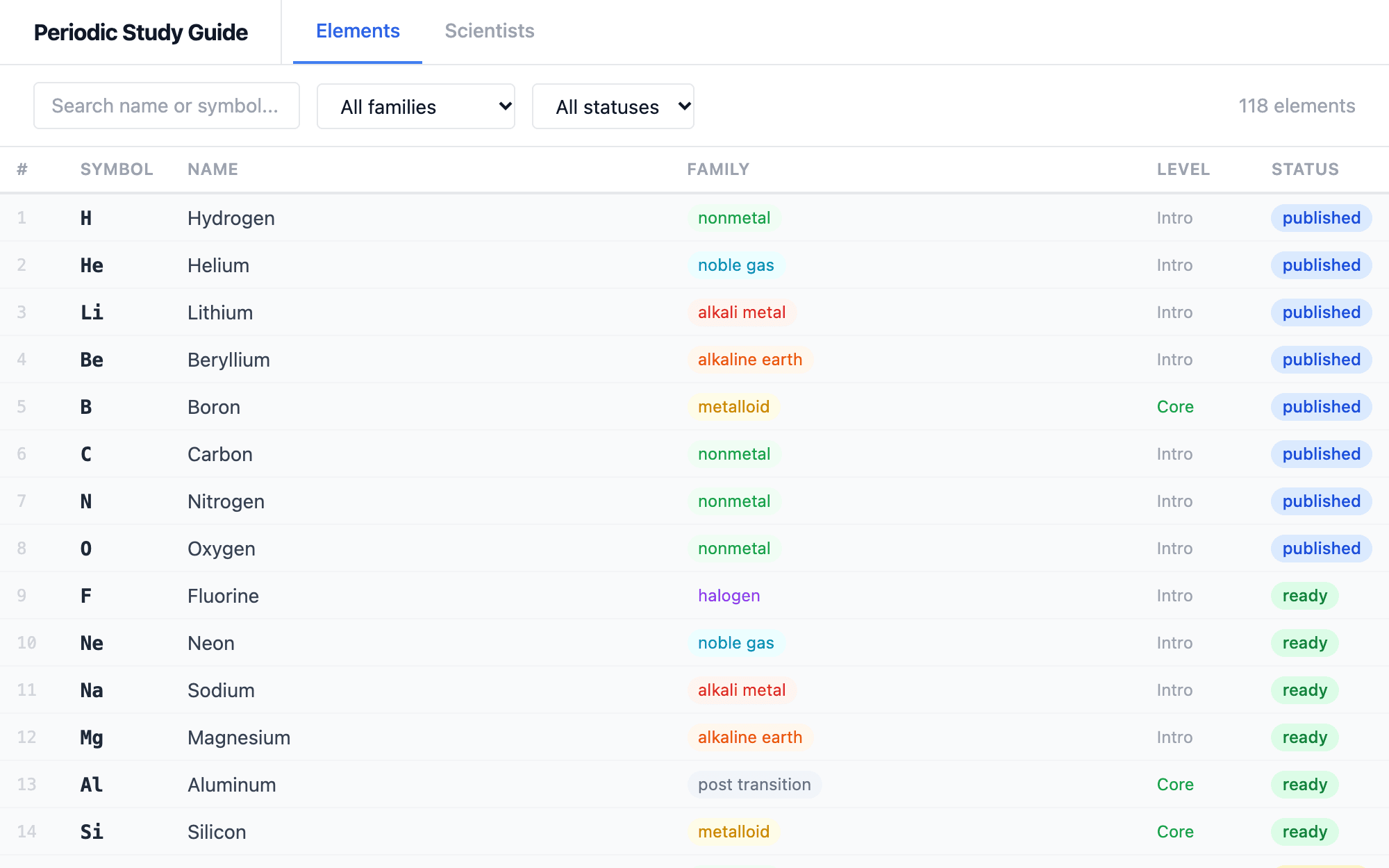
All 118 elements sorted by atomic number, with color-coded family labels, a difficulty level, and a publishing status for each. Filterable by family and status.
The brief
A high school chemistry teacher wanted one place to build out study material for every element on the periodic table: what each one is, where it's found, what it's used for, and the scientists behind it. Spread across slides, worksheets, and spreadsheets, that material was hard to keep organized and harder to reuse from one class to the next.
The approach
The database was seeded with all 118 elements from the real periodic table (atomic number, mass, period, group, family, and radioactive/synthetic flags), so none of that had to be typed in. The tool adds the teaching layer on top: study notes, difficulty levels, linked scientists, and a status for each element. Only material marked Published is shown to students, so drafts can be worked on without anyone seeing them half-finished.
What was built
118 elements, fully seeded
Every element from Hydrogen (1) to Oganesson (118) is in the database with its real atomic number, mass, period, group, family, and radioactive/synthetic flags. No manual data entry.
Study notes per element
Each element has its own notes: what it is, where it's found, what it's used for, and a fun fact to make it stick. Edited right in the side panel.
Filter and search
Find any element by name or symbol, or filter by family and status. Useful for building a lesson around one group of the table at a time.
Linked scientists
15 scientists, including Mendeleev, Marie Curie, Seaborg, and Fermi, linked to the elements they discovered, isolated, or were named after. Click a scientist to see their elements, and vice versa.
Difficulty levels
Every element is tagged Intro, Core, or Advanced, so material can be matched to where the class is in the course.
Draft-to-published workflow
Status moves from Draft to Reviewing to Ready to Published. Only finished material is shown to students; work in progress stays out of sight.
Inside the tool
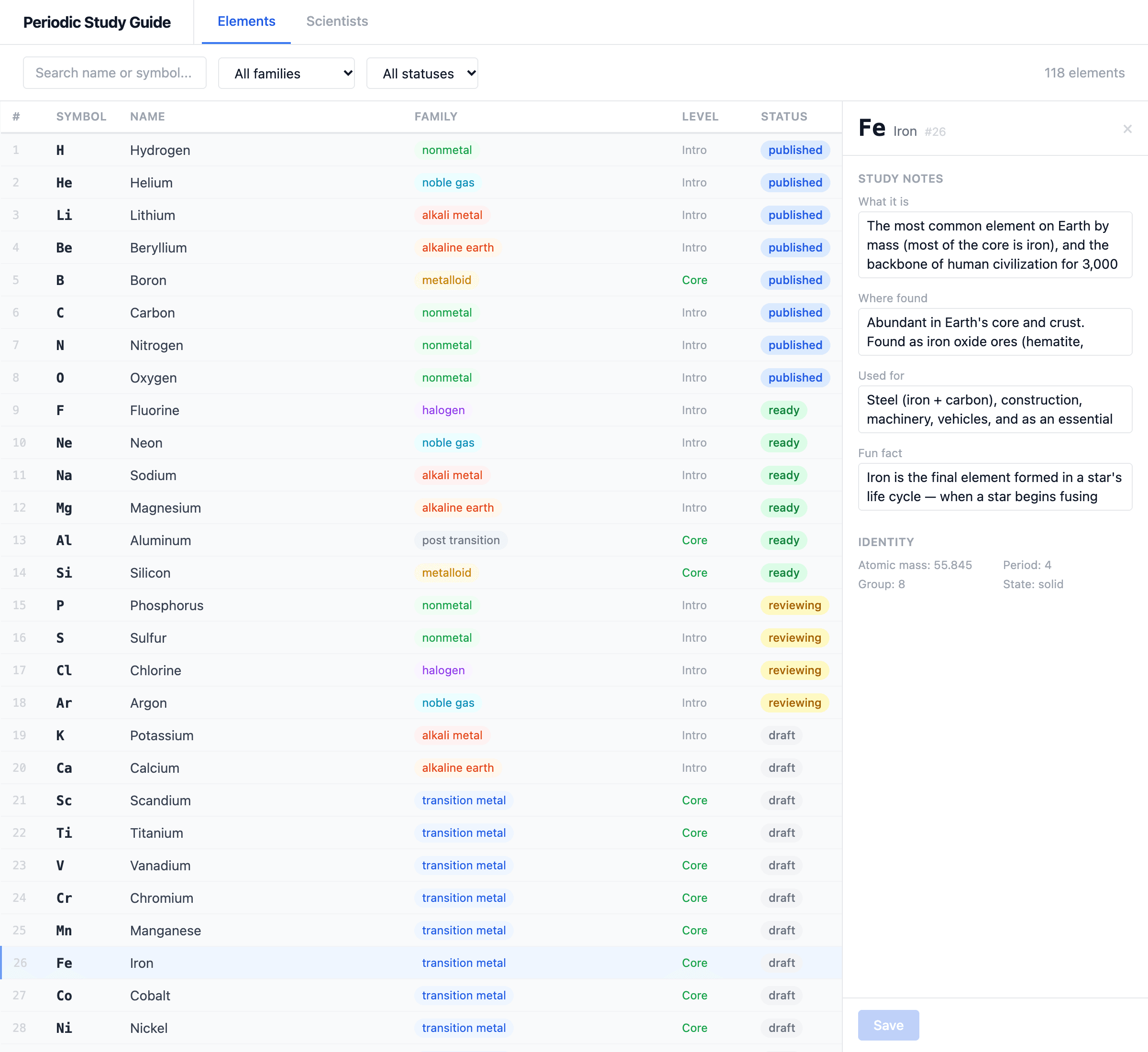
Element detail. Click any element to open its study notes: what it is, where it's found, what it's used for, and a fun fact.
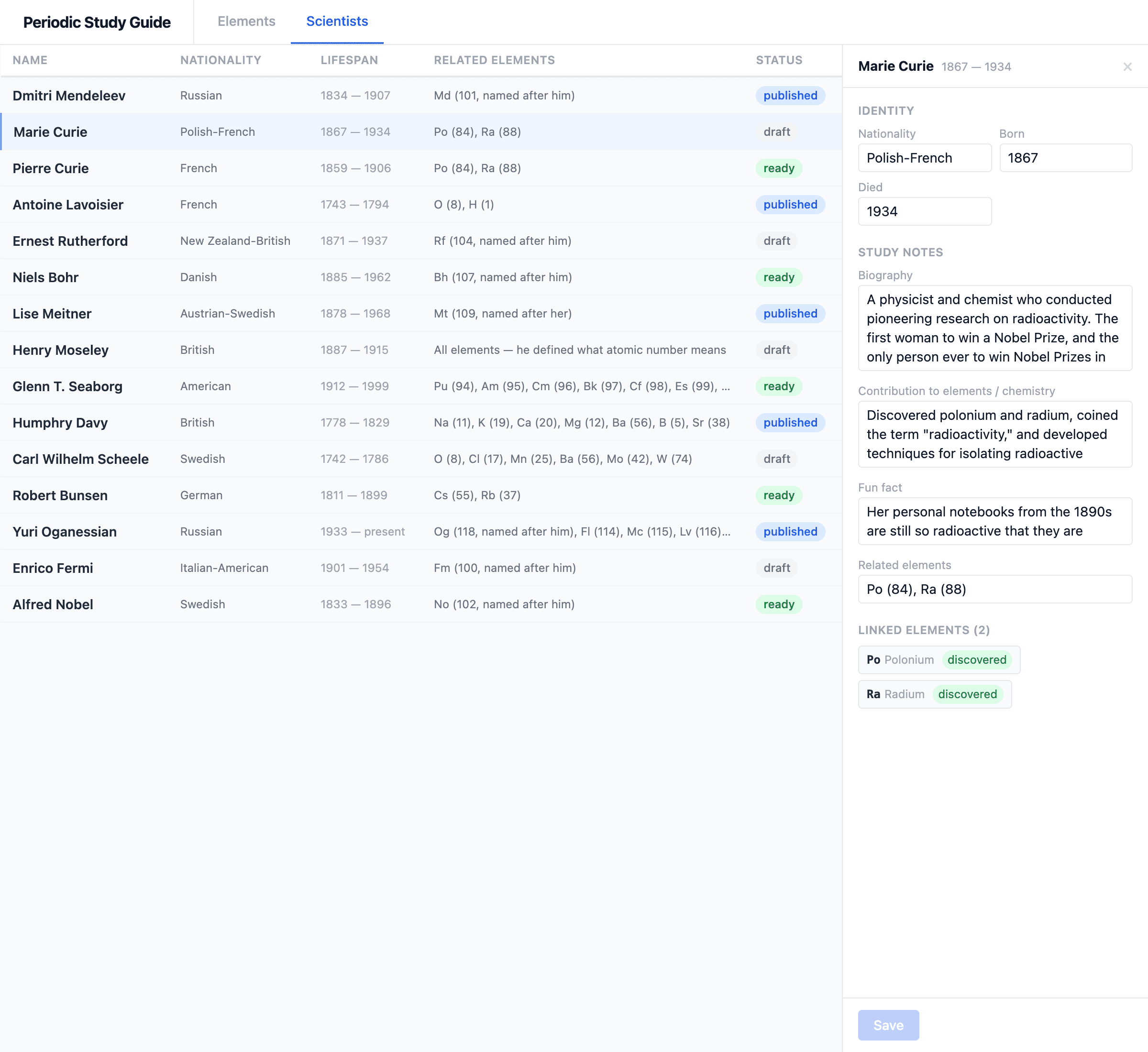
Scientists tab. 15 scientists linked to the elements they discovered or were named after, each with a biography and study notes.
The result
One organized home for a whole unit's worth of material. Every element has a place for its notes, every scientist is connected to their discoveries, and nothing reaches students until it's ready. The same structure can be reused year after year and added to as the course grows.
Need a tool built for your project?